Money & payments
Source checkedWeChat Pay for Foreigners: International Card Fees, Limits & Fixes (2026)
Set up WeChat Pay, link an overseas card, check the current 3% fee threshold and understand account limits. Last checked 18 August 2026.
The short answer
Visitors can use WeChat Pay with an eligible international card for supported merchant purchases. Register in the official app, open the wallet, complete the checks requested and link a card in your own name. Menus and eligibility vary by account; a linked card does not enable every transfer or QR-code payment.
Jump to a section
Step by step
What to do
- 01
Have your passport, card and phone ready
Keep your passport, your own international card and the phone used by your bank nearby. You must be able to receive any verification messages or calls WeChat or the card issuer requests.
- 02
Create the WeChat account
Install WeChat from the official app store, choose Sign Up and enter the country or region and phone number shown on the form. Complete only the security checks that appear on your device.
- 03
Open the wallet area
After signing in, look under Me for Services, Weixin Pay, Pay and Services, or Wallet. Labels and menu order vary, so follow what your app shows if it differs from a screenshot.
- 04
Complete the identity prompt if requested
Choose Passport when the app offers it, enter the holder details exactly as requested, and photograph the document only inside the official app. Some accounts can make limited international-card purchases without full wallet verification.
- 05
Link the international card
Open Bank Cards or Cards, choose Add a Card, and enter the card and billing information requested on screen. The card must be in your name and the issuer must approve the binding request.
- 06
Test a merchant purchase and keep a backup
Use the merchant's normal checkout and check the card and fee before approving. Confirm the result with the merchant, wallet and card account. If any result is pending or unknown, stop new attempts for that order before using a backup.
Have your phone, passport and card ready
Before opening the app, have your phone, passport and card ready. Register with a number you control and expect to keep, and check that it can receive the account checks WeChat requests. Your bank may send a separate check to the number on its records. The numbers can differ, but you need access to both.
Use an international card in your own name. Current Chinese government guidance lists Visa, Mastercard, UnionPay, American Express, JCB, Diners Club and Discover. That list describes supported card networks, not a promise that every issuer or card product will bind successfully. The issuing bank still decides whether to approve the request, and the app may show a narrower list for your account.
Keep another way to pay after setup. A card linked in WeChat can still be unavailable at a particular merchant or for a particular transaction. Bring a physical card and some RMB cash in case the app, merchant connection or issuing bank cannot complete the payment.
- Download WeChat only from the Apple App Store, Google Play or another official store serving your device.
- Keep the physical passport with you. Do not prepare an edited scan or send the passport to a helper.
- Know how your bank delivers approval requests, such as an SMS, banking-app prompt or another issuer check.
- Check that overseas online purchases are enabled, but let the bank explain its own setting rather than guessing at a switch name.
Create the WeChat account without rushing the security checks
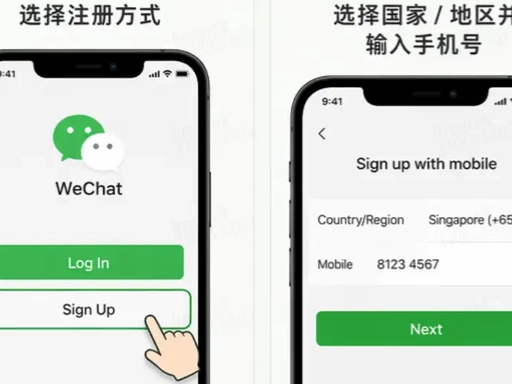
Open the official app and choose Sign Up on the welcome screen. Select your country or region beside the phone field and follow the number format shown. Enter a name and password you can recognize later, then read the agreement on your device before continuing.
Chinese government guidance confirms that foreigners can register WeChat with a foreign or Chinese mobile number. It does not promise that every number type will pass every security check. If a virtual, internet-based or recently recycled number fails, the safest next step is to read the exact message and use official support. Repeatedly changing country codes or resubmitting the same number can make the problem harder to diagnose.
Use the older screenshot below to find the Sign Up label. Background artwork and button positions have changed across releases, so the current official app may look different.

Enter the phone number in the format shown on your screen
Select the country or region first, then check the displayed dialling code before entering the local part of the number. Keep that SIM or eSIM active after registration. A traveller who deletes the travel eSIM immediately after the trip can create an account-recovery problem months later.
The registration form may request a nickname, password, consent and a phone check in a different order from the supplied image. Complete the fields that appear on your device. Never give a one-time code to a person offering to register the account for you. A genuine code belongs in the official app or in the bank flow you started yourself.
The example contains a Singapore number and Chinese explanatory text. It demonstrates where the country selector and phone field normally sit; it does not mean Singapore is required or preferred.
Complete the security check shown in the app
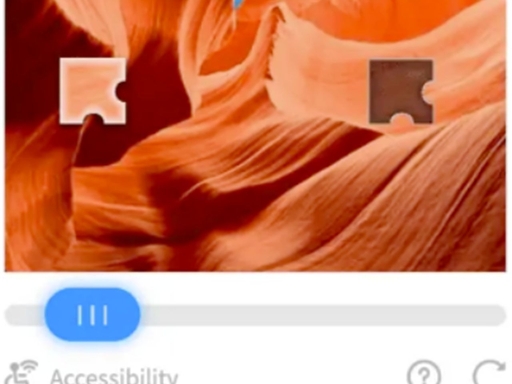
After submitting your account details, you may see a puzzle, slider or another security check. Complete it inside WeChat. If it fails, check that the image loaded and your connection is stable before trying again. Official payment guidance does not give a universal waiting period, such as ten minutes or a full day.
Read any new error before trying again. An incorrect phone format, unsupported number and failed image puzzle need different responses. If you need help, save a screenshot with your phone number hidden and use in-app Help or WeChat's official support channel.
The supplied image shows a common slider puzzle. It contains no account data and is suitable as a visual reference, though the artwork and accessibility controls can change.
Follow friend-assistance instructions if they appear
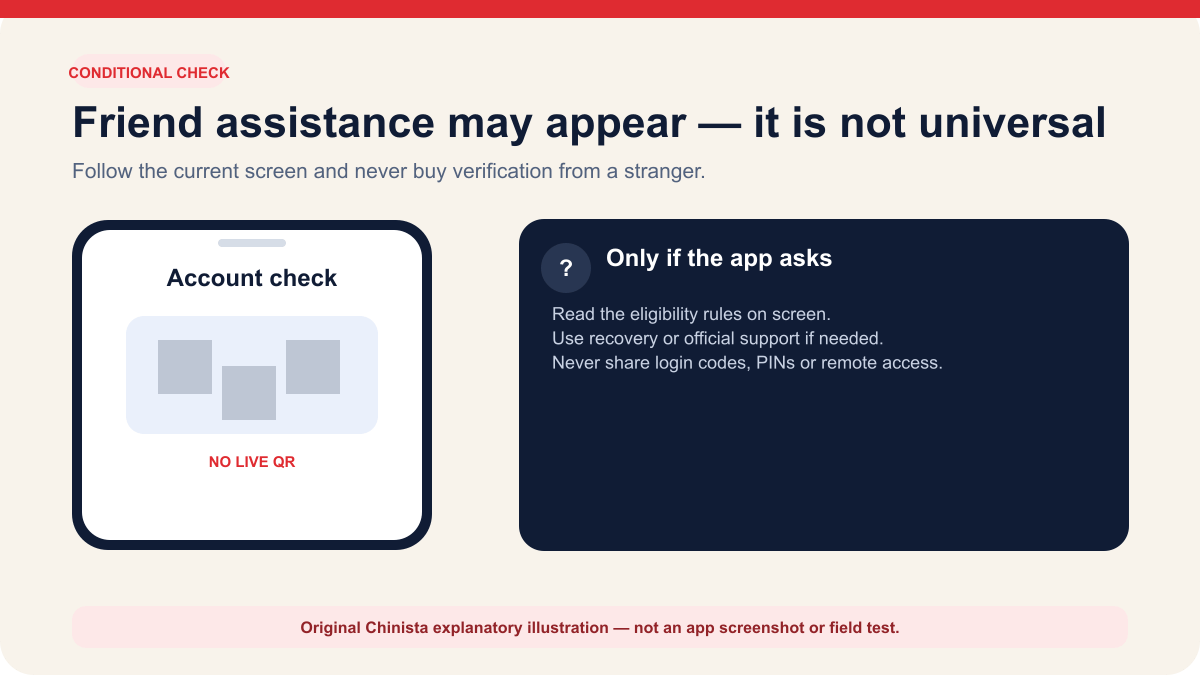
Some registrations require an assistance or QR-code check. This checks the account; it does not activate payment, and foreign users are not all required to complete it. If it appears, follow the requirements for the assisting account shown on your screen.
Do not buy verification from a stranger, hand over the new account or allow remote control of the phone. A person who can see a login code, password or later payment PIN can turn a small registration problem into an account-security problem. If you do not have an eligible contact, use the recovery or support options shown by the app.
Find the wallet in the current app
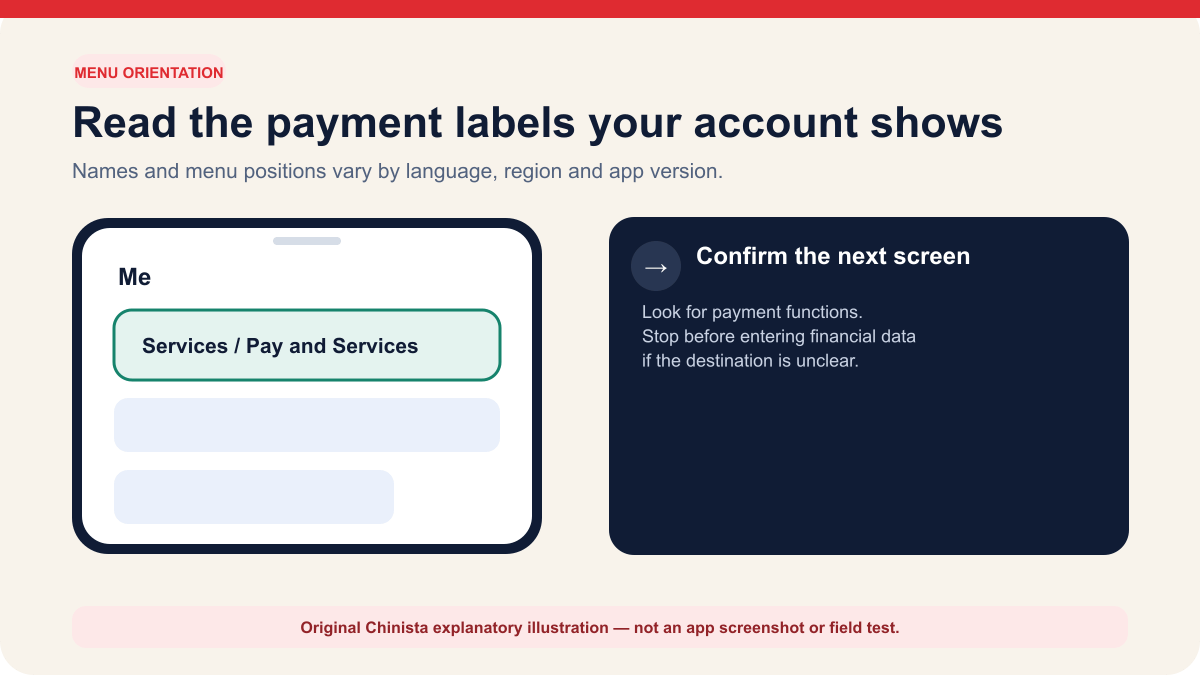
Once the account is open, go to Me and look for Services, Pay and Services, Weixin Pay or Wallet. The label varies with language, region, account status and app version. Open the payment or wallet entry, then check that the next screen contains payment functions before entering financial information.
If no payment entry appears, update the official app and check in-app Help. Do not install a regional package from an unknown download site to make a menu appear.
Complete identity verification only when the app asks for it
Tenpay's current international-card agreement says service activation may collect real-name and card information, with the exact fields determined by the service page. It also describes a limited state in which a user who has linked only an international card and has not completed full real-name verification can make eligible consumer payments but cannot use wallet balance, transfers or related functions.
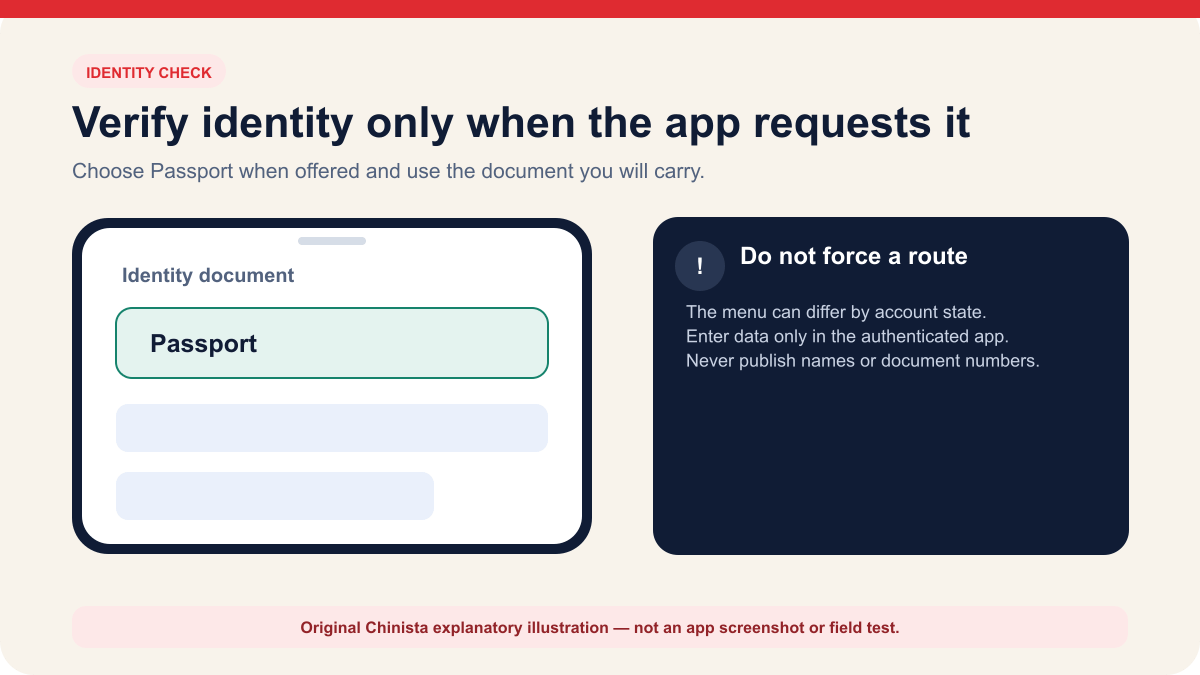
The app may request a passport check during wallet setup, card linking, a higher-limit request or a later risk review. If your account has no Identity Information menu, you do not need to find one. When the app requests identity details, choose Passport if offered and copy the information from your document.
Match the passport fields the app requests
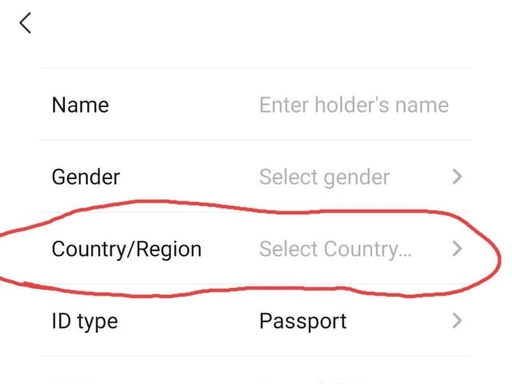
Select the passport's issuing country or region and Passport as the ID type when those fields appear. Enter the holder's name using the format requested on screen. The name on the payment profile and card should describe the same person, but punctuation, spacing and field order can differ between a passport, card and bank record. Copy carefully and let the error message identify a mismatch before rearranging the name repeatedly.
Photograph the passport only inside the official identity flow. The machine-readable zone should be complete, the page should lie flat and reflected light should not cover the face or document number. Do not upload a passport image to a public form or send it through chat to someone offering setup help.
The supplied screenshot highlights Country/Region and shows Passport as the ID type. It does not contain a real name or passport number, so it can be used as a reference for those two choices.
Let the document and face check finish before resubmitting
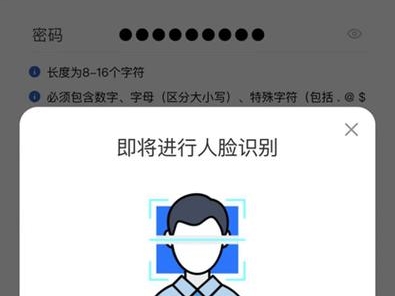
You may be asked to photograph your passport and complete a live face check. Use even light, avoid glare on the passport page and follow the prompts on your screen. A blink, head turn or other requested movement must be performed by you.
There is no official guarantee that every review finishes instantly or within 24 to 72 hours. If your review is pending, check its status or use the support option provided. Submitting again with different spellings or images can make later review messages harder to match to the correct application.
The supplied example uses Chinese interface text and generic face artwork. It illustrates the type of check, not the current English wording.
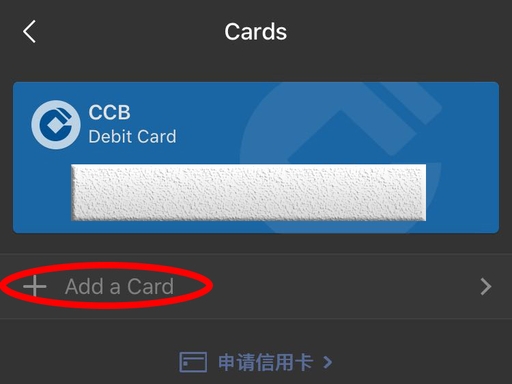
Open Bank Cards and choose Add a Card
Inside the wallet, open Bank Cards or Cards and choose Add a Card. A new account may show no existing cards. The supplied screenshot contains an old CCB card example and a Chinese secondary link, so only the circled Add a Card row is relevant to this task.
Check the app and domain before entering card details. Use the official WeChat Pay card-linking form. If a chat message, mini program or web page brings you to a similar-looking form, back out and reopen the wallet through the app's own menus.
Tenpay requires an international card used for this service to belong to the user. Do not test with a travel companion's card simply because the first card was declined. That creates an identity mismatch and may trigger additional review.
Enter the card details and billing information shown on screen
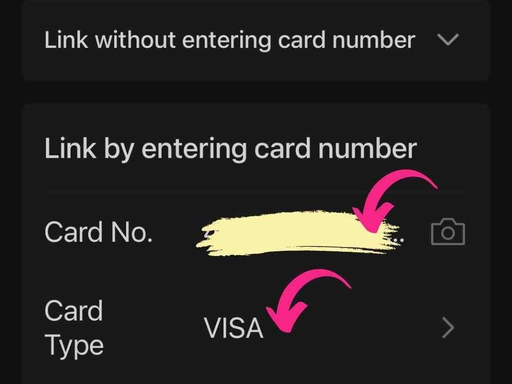
Enter the card number, or scan it if the app offers that option and you are comfortable using it. Check the detected card network before continuing. The next fields may ask for an expiry date, security code, cardholder name, billing address and phone number. Follow the service page and issuer instructions; the form can vary by card.
Use the billing information held by the issuing bank. A hotel address in China is not automatically the correct billing address. If the app rejects an address, compare the bank's record and the form's country selector before shortening or translating the address at random.
The screenshot below already masks the card number. It shows a Visa card being detected and should be read as a form example, not as proof that a particular Visa issuer will approve the link.
Complete the check sent by the card issuer
Tenpay sends the required card information through the payment providers to your issuing bank for verification. The bank may request an SMS code, banking-app approval, 3-D Secure or another check. Use the bank's usual channel and follow its instructions; SMS is not required by every bank.
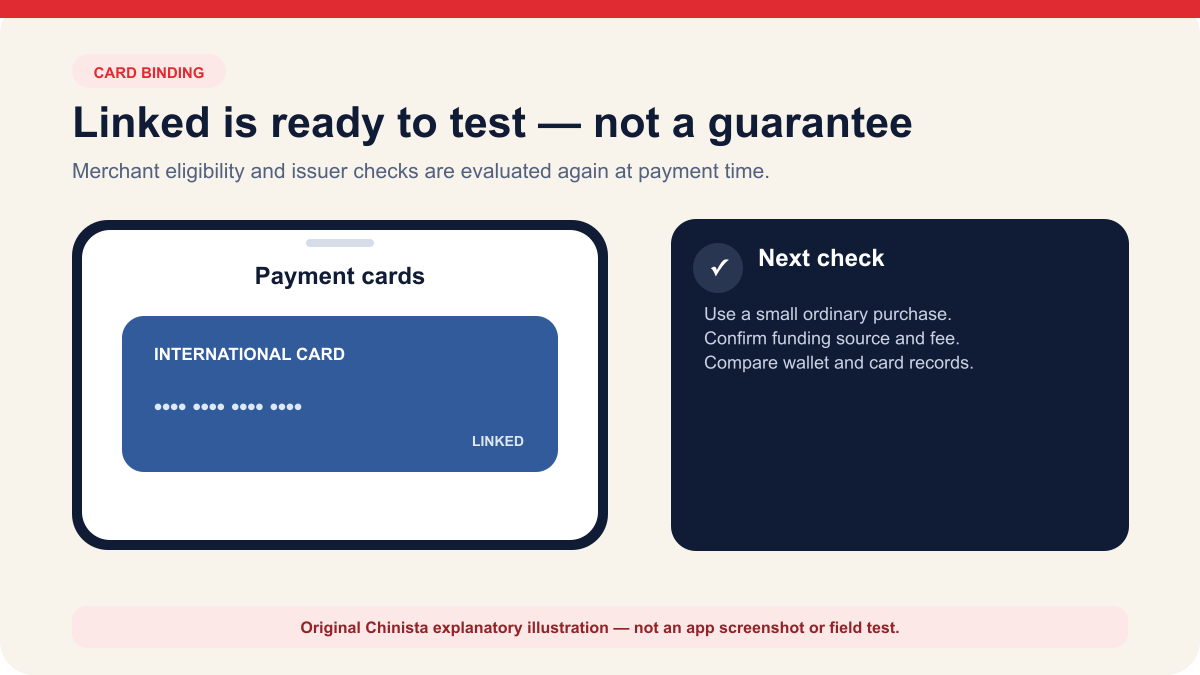
A card appearing in the list means the binding step completed. It does not prove that every purchase will work. Merchant eligibility, transaction amount, account checks and bank controls are evaluated again at payment time. Run a small ordinary merchant purchase only when you are ready, then compare the completed transaction in WeChat with the card account.
Use the card for an eligible merchant purchase
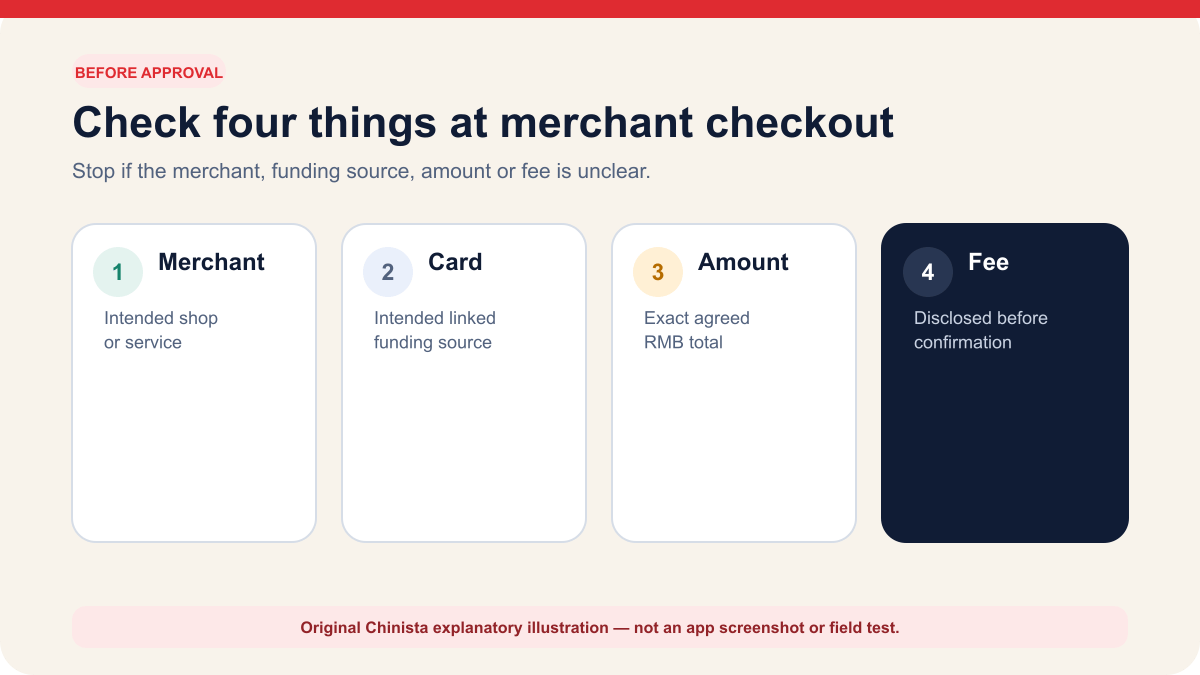
International-card service is designed for consumer purchases at eligible merchants in mainland China. At checkout, you may scan the merchant's collection code, show your payment code, or choose Weixin Pay inside an eligible merchant flow. Confirm that the selected funding source is the intended international card and read any fee before approving.
A personal transfer or an individual's collection code can use a different payment route. If the card disappears before any payment starts, ask for the merchant's normal business checkout or another accepted method. If you already attempted payment, check wallet, card and merchant records first. Only use a fallback once failure is clear, no pending or successful record remains, and the merchant confirms the order is unpaid. Stop new attempts for a pending or unknown result; ask the merchant to trace a successful payment it cannot match. A missing card can be a transaction-scope issue rather than a broken card link.
| Check | What you should see | Stop when |
|---|---|---|
| Merchant | The shop or service you intended to pay | The recipient looks personal, unfamiliar or unrelated |
| Funding source | Your intended linked international card | The card is missing or a different source is selected |
| Amount | The exact RMB total agreed with the merchant | The amount or currency is wrong |
| Fee | A disclosed fee or waiver before confirmation | A fee appears only after an unexplained redirect |
| Result | One completed order in the wallet and merchant flow | The order is pending or appears more than once |
Check fees, limits and available features
Tenpay's January 15, 2026 notice sets the standard Weixin Pay international-card service fee: a single purchase of RMB 200 or less is exempt; above RMB 200, the fee is 3 percent of the entire transaction amount, not just the portion above RMB 200, unless an applicable waiver reduces it. The checkout shows the fee before payment. If the purchase is refunded, Tenpay returns the service fee proportionally. Your card issuer may still charge its own foreign-transaction or exchange fees.
Tencent's May 27, 2026 announcement offers a temporary Weixin Pay waiver from May 27 through December 31, 2026 for users linking an international card for the first time. After the first purchase, eligible users receive 90 consecutive calendar days of the 3 percent service-fee waiver on up to RMB 1,000 of spending per day. This is a spending allowance, not RMB 1,000 in waived fees. Check the in-app eligibility, remaining allowance and end date before paying; the announcement does not explain how a purchase crossing the daily allowance is treated or whether the waiver continues into 2027. These Weixin Pay terms do not establish an Alipay promotion.
Chinese government guidance sets ceilings of USD 5,000 per mobile-payment transaction and USD 50,000 per year for overseas visitors. Tenpay's current agreement says the limit displayed on the service page applies and may change with regulation, transaction type and risk controls. Your bank may set a further limit, so check the lowest limit that applies to your purchase.
An international card linked to WeChat Pay supports eligible consumer purchases, but does not create a Chinese bank account. Wallet balance, sending and receiving transfers, and other account functions may remain unavailable, particularly when you have linked only an international card.
| Rule | What the official source says | What to check |
|---|---|---|
| Standard Tenpay service fee | RMB 200 or less is waived; above RMB 200 is 3 percent of the entire transaction amount, unless an applicable waiver reduces it | Read the fee shown at checkout and the temporary waiver below |
| Temporary first-card waiver | Campaign announced for May 27 to December 31, 2026: first-time international-card linking; after the first purchase, 90 consecutive calendar days with up to RMB 1,000 of spending per day exempt from the 3 percent fee | Confirm eligibility, remaining daily allowance and end date in the app; do not assume every payment qualifies |
| Policy ceiling | USD 5,000 per transaction and USD 50,000 per year | The app, issuer or merchant may set a lower limit |
| Supported purpose | Eligible consumer payment at mainland China merchants | Personal transfers and some QR flows are outside the card service |
| Refund | Tenpay says its international-card fee is refunded proportionally | Issuer exchange effects can appear separately on the card statement |
| Issuer decision | The overseas bank must approve binding and payment | A supported logo alone does not guarantee approval |
Get help with the step that failed
Registration, identity review, card binding and merchant payment involve different systems. Start with the stage that failed. Save the exact message, local time and non-sensitive context. Hide the passport number, card number, security code, phone number, QR code and one-time codes before sharing a screenshot with official support.
If card linking is rejected, the cause may be with the wallet, a payment provider or the issuer. Tenpay's agreement says it sends the submitted details to the overseas bank for verification. Ask WeChat Pay support whether the request reached the bank, then ask the bank whether it received and declined a tokenisation or card-on-file request.
At a merchant counter, check the WeChat record, card account and merchant order before paying again. Use cash or another accepted method only when failure is clear, no pending or successful record remains, and the merchant confirms the order is unpaid. If the result is pending or unknown, stop new attempts for that order and seek confirmation. If WeChat shows success but the merchant cannot match it, ask them to trace the original payment. Changing methods does not cancel an earlier attempt.
| Failure | First check | Best next contact |
|---|---|---|
| No account code | Country code, phone access and the exact app message | WeChat account support or mobile carrier |
| Security check loops | Connection, current app version and the named check | WeChat account support |
| Passport rejected | Glare, complete document page and field spelling | WeChat Pay support |
| Card will not link | Cardholder match and issuer approval channel | WeChat Pay support, then issuing bank |
| Card missing at checkout | Merchant transaction type and in-app explanation | Merchant or WeChat Pay support |
| Bank declines payment | Bank alert, overseas purchase controls and pending charges | Issuing bank |
| Duplicate or pending charge | Wallet history, bank record and merchant receipt | Merchant and official payment support |
Continue the setup
Tasks connected to this guide
When Plan A fails
Fallbacks and safety checks
- If the registration security check changes, follow the current screen and do not pay a stranger to bypass it.
- If the wallet entry is missing, update the official app, confirm the account region and use in-app Help rather than installing an unofficial package.
- If card binding fails, keep the exact non-sensitive error and ask WeChat Pay support or the issuing bank which side rejected the request.
- If a linked card is unavailable at checkout, check that no payment was started before choosing a merchant checkout or another method. If an attempt is pending or unknown, stop and confirm its status. International cards do not cover every transfer or QR-code flow.
- Never send a passport image, full card number, CVV, payment PIN or one-time code to an unofficial helper.
Common questions
Frequently asked questions
Can I register WeChat with a foreign phone number?
Current Chinese government guidance says foreigners may register WeChat with a foreign or Chinese mobile number. Use a number you can continue to access because account and bank verification may depend on it.
Do I always need a friend to verify my WeChat account?
No universal friend-verification step is documented in the official payment sources. Security checks can vary. If assistance appears, follow the exact eligibility rules shown in the current app and do not buy verification from a stranger.
Which international cards can I link to WeChat Pay?
Chinese government guidance lists Visa, Mastercard, UnionPay, American Express, JCB, Diners Club and Discover. Actual acceptance still depends on the service page, card issuer, account and transaction.
Must I complete passport verification before linking a card?
The app may request real-name or passport information as part of activation or risk checks. Tenpay's agreement also describes limited consumer payment when only an international card is linked, so follow the prompts on your own account.
How much does WeChat Pay charge for an international card?
The standard Weixin Pay international-card service fee is waived at RMB 200 or less; above RMB 200 it is 3 percent of the entire transaction amount, unless an applicable waiver reduces it. Tencent's May 27 to December 31, 2026 campaign covers first-time international-card linking: after the first purchase, eligible users get 90 consecutive calendar days with up to RMB 1,000 of spending per day exempt from that fee. Confirm eligibility, remaining allowance and end date in the app, and read the checkout fee. Issuer foreign-transaction or exchange charges may still apply.
What are the payment limits for foreign visitors?
Government guidance gives policy ceilings of USD 5,000 for one mobile-payment transaction and USD 50,000 in a year. Tenpay says the limit shown on the service page controls and can be lower because of account, issuer or risk rules.
Can I use my international card for WeChat transfers or red packets?
Tenpay describes international-card service as consumer payment at eligible merchants. A card-only account cannot use that card to fund wallet balance, send transfers or receive transfers, and other non-merchant functions may remain unavailable.
Why does my WeChat screen look different from these pictures?
The pictures show different app versions, languages and account states. Use them to find the relevant area, then read the labels on your own screen. Stop if the app asks for information unrelated to the task.
Evidence
Primary sources
Source list last checked: .
- Chase UK — pending card transactions (issuer example; checked 20 September 2026)
- 2026 government guide to working and living in China
- Tenpay Weixin Pay international-card user agreement
- Tenpay 2026 international-card service fee rules
- Tencent May 2026 international-card fee-waiver announcement (Chinese)
- State Council payment guide for overseas visitors