Phone setup
Source checkedChina eSIM: How to Stay Connected as a Visitor
How to pick a China eSIM, what it costs, whether it comes with a phone number, and how to set it up before you land. Source-checked.
The short answer
Most worldwide China travel eSIMs are data-only and do not include a mainland phone number. If a local number, ordinary calls or SMS matter, compare a mainland operator SIM or supported operator eSIM separately, then verify the exact phone model and identity requirements.
Jump to a section
Step by step
What to do
- 01
Check whether your phone is unlocked
Check the device settings and confirm with the home carrier. A travel eSIM from another provider requires an unlocked compatible phone; a roaming pass uses the existing line.
- 02
Check eSIM support for the exact device model
Model numbers and regional variants matter. Use the device maker's current support page and the provider's compatibility checker before paying or deleting any existing line.
- 03
Prepare for a no-data arrival
Save your hotel address, transfer route, bookings and key contacts offline before boarding.
Compare roaming, travel eSIMs and local SIMs
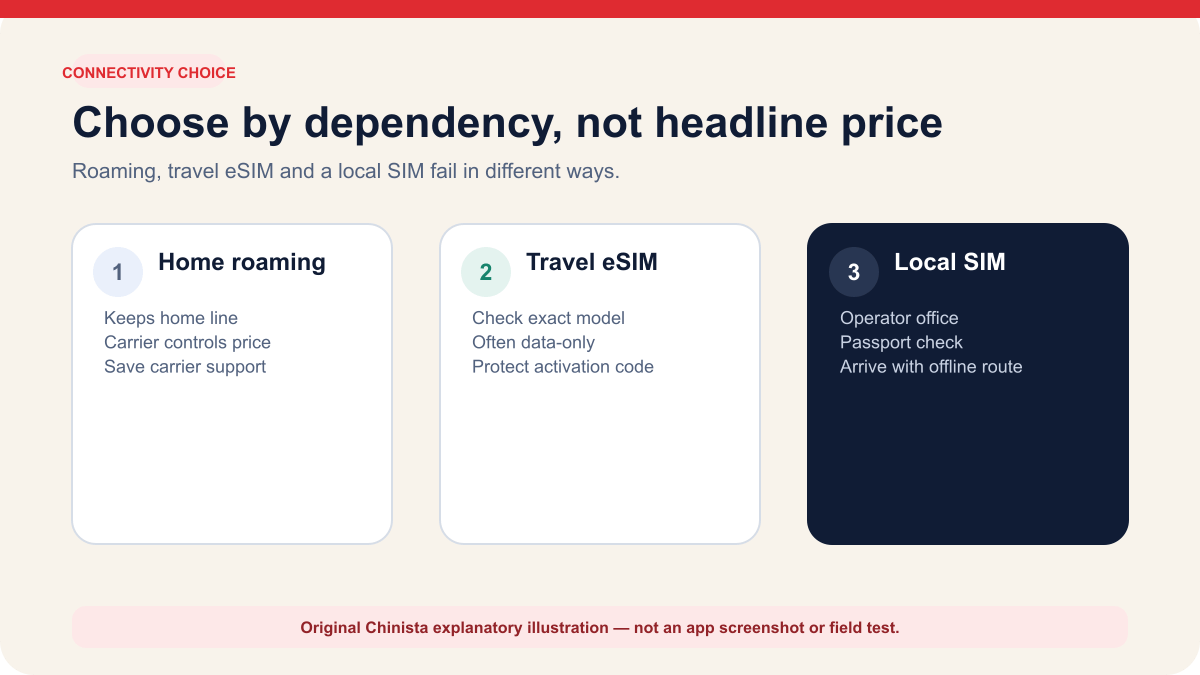
Choose a connection that suits your phone, home carrier, need for calls or SMS, trip length and willingness to set up service after landing. Compare home-line roaming, a prepaid travel eSIM from a worldwide provider and a local mainland SIM from a telecom operator. Wi-Fi can help when those fail, but cannot cover all your mobile needs.
Home roaming keeps your usual number and can be straightforward to use; check your carrier's price, data allowance and speed restrictions. You can buy a travel eSIM before departure and use it as a second data line on a compatible unlocked phone, though many plans are data-only. A local SIM provides local mobile service. The State Council guide says foreigners can apply at operator service offices with a passport or Foreign Permanent Resident ID Card.
A worldwide travel eSIM, mainland-operator eSIM and home-carrier eSIM have different activation rules. Check both the phone maker's requirements and the provider's terms for your model and length of stay. If you need data as soon as you land, install the plan before arrival where the provider allows it, and save the details you need if no data is available.
Most travel eSIMs are data-only and may not include a local number for calls or SMS. If you need a mainland number, check for a carrier eSIM that includes one and supports your phone.
| Option | Set up | Possible strength | Main dependency | Fallback to prepare |
|---|---|---|---|---|
| Home roaming | With home carrier, usually before travel | Keeps familiar line and support relationship | Carrier terms, roaming activation and price | Wi-Fi plus carrier support number |
| Worldwide travel eSIM | Provider app, link or QR on compatible unlocked phone | Can be installed before departure as a data line | Exact model, lock status, provider and activation terms | Keep home line and activation details |
| Mainland local SIM | Operator service office with identity document | Local mobile service and plan choice | Store access, passport verification and device compatibility | Offline arrival route before purchase |
| Mainland carrier eSIM | Current supported device plus operator-store activation | Digital local line on supported models | Narrow model and local activation rules | Verify exact model before relying on it |
| Airport or hotel Wi-Fi | On site | Useful for support or temporary recovery | Venue access, sign-in and security | Never make it the only arrival plan |
Identify the exact phone before buying a plan
Start with the model number, not the marketing family. Regional variants can have different SIM hardware and eSIM behavior. On an iPhone, Apple directs users to Settings, General and About to find the model and carrier-lock status. For a travel eSIM from another provider, Apple says the phone must not be carrier locked; an unlocked iPhone shows No SIM Restrictions beside Carrier Lock.
For Android, check the manufacturer's support page for your exact regional model, then the provider's current compatibility list. An EID or Add eSIM menu is a useful sign, but the provider must support that model and destination plan. A list naming only a broad family such as Galaxy or Pixel is not enough to confirm compatibility before payment.
With an eSIM-only phone, you cannot fall back on a physical SIM. Confirm the carrier-lock status, supported bands, available eSIM slots and whether a new line could affect your home line. Do not delete a working profile to make room until the carrier explains how to restore it.
- Write down the full model number and purchase region.
- Confirm carrier-lock status with the home carrier when the settings label is unclear.
- Check how many eSIM profiles can be stored and how many lines can be active.
- Verify that the provider supports the destination and the exact device before payment.
Check which kind of eSIM your phone supports
Apple's March 2026 support guidance says visitors to mainland China can use prepaid data eSIM plans from worldwide service providers. For mainland Chinese network providers, only specific current iPhone models support eSIM activation, which requires a provider-store visit and identity check.
Your phone may support a worldwide travel eSIM for data in China while being unable to install a mainland carrier's profile. Confirm support for the provider selling the plan as well as the country where you will use it.
Supported models can change with each device generation. Check the current Apple or Android manufacturer guidance just before buying. For a mainland-operator eSIM, confirm the model and in-person activation requirement directly; instructions for a worldwide travel eSIM may not apply.
- Worldwide travel provider: usually a prepaid travel data product governed by that provider.
- Home-carrier eSIM: the existing line using international roaming terms.
- Mainland carrier eSIM: local service with current model and identity requirements.
- Physical local SIM: a separate local option that still requires device and operator compatibility.
Read six plan terms before comparing prices
Before comparing prices, check coverage, high-speed data allowance, what happens when that allowance runs out, the validity period, when validity starts and how to contact support. If you will visit Hong Kong or Macao, check that the plan names them; “China” alone does not confirm coverage.
Determine whether the product is data-only. Data can support app messages and internet calling, but it does not automatically provide a mainland phone number, ordinary voice service or SMS reception. Some bookings and account recovery routes may expect a number or a verification message. Keep the home line available if those functions matter, and understand whether leaving it active can incur roaming charges.
Read refund conditions before installing the eSIM. Some providers count a downloaded or activated profile as used, even if it turns out to be unsuitable. Save the order number, installation instructions and official support contact offline, and keep the activation QR code private because it can be used to install the service.
Prices vary by data allowance and validity. Compare the six sets of terms below, including speed restrictions, validity start and hotspot use, before choosing the cheapest plan.
- Coverage regions and partner network
- High-speed allowance, throttling and hard cutoff
- Validity and the event that starts the clock
- Data-only versus voice, SMS and local number
- Hotspot or tethering permission
- Refund, reinstallation and official support terms
Install on trusted Wi-Fi and label both lines clearly
Follow your provider's written activation instructions. Where validity starts on network connection, you may be able to buy and install the plan on trusted Wi-Fi, leave the travel line disabled and enable it after landing. Check the trigger first; installation or another event may start the clock on a different plan.
Give the lines unmistakable labels such as Home and China Data. Select the intended data line, review whether cellular-data switching is enabled and decide whether the home line should remain on for calls or verification messages. On iPhone, Apple warns that keeping both lines active may still create roaming charges on the home line. Android labels differ, so verify the equivalent settings on the actual device.
Keep the profile confirmation and support information, but protect the activation code. Do not post the QR code in a travel forum, shared document or public screenshot. If another device is used to display the code during installation, delete or secure that copy afterward.
- Use a trusted network rather than an unknown public hotspot for account setup.
- Label the home and travel lines before both are active.
- Record which line handles data, calls and SMS.
- Disable data roaming on any line that should not create roaming use.
- Do not delete the profile during ordinary troubleshooting unless official support directs it.
Prepare to reach your hotel without mobile data
Before boarding, save your accommodation's name, Chinese address, phone number and first transfer route. Include the exact terminal or station, a staffed transport backup and the details a driver needs. Use a plain note or file you can open without cloud sync.
If data does not work after landing, check that the travel line is enabled, selected for mobile data and using the roaming setting the provider requires. Restart once if the provider recommends it. Avoid deleting and reinstalling the profile or changing several settings together; support will need to know what happened at each step.
Use airport or hotel Wi-Fi to contact the provider through its official channel. If the phone still cannot connect, continue to the accommodation using the offline plan rather than buying a random profile from a stranger. A staffed telecom operator office is the safer place to evaluate a local SIM with the original passport.
- Chinese accommodation address and phone
- Screenshot of the first route and destination pin
- Provider order number and support URL
- Home-carrier support number
- A payment method that does not depend on the same phone connection
Check one possible cause at a time
A no-service message can have several causes: phone compatibility, carrier lock, the installed profile, line selection, roaming settings, network registration, data allowance or account status. Change one setting at a time, wait and record what happens so you and support can identify the cause.
Check the provider dashboard for activation and remaining data while on Wi-Fi. Confirm that the device sees the profile and that the intended line is selected for data. Review the provider's access-point instructions only if it publishes them for that plan. Never copy an APN or configuration profile from an unrelated blog because it can route traffic incorrectly or install unwanted settings.
If support asks for screenshots, redact phone numbers, account identifiers and activation credentials. Share the model, operating-system version, local time, observed network label and exact non-sensitive error. If the problem cannot be resolved safely, switch to roaming, a physical local SIM through an operator office or the offline arrival plan instead of escalating risky changes.
- No profile on the phone: check installation and the provider's compatibility requirements.
- Profile exists but no network: check selected line, roaming requirement and provider status.
- Network appears but no data: check allowance, APN guidance and provider account state.
- Data works but calls or SMS do not: verify whether the product is data-only.
- Home line creates charges: review which line handles data and whether roaming remains enabled.
Continue the setup
Tasks connected to this guide
When Plan A fails
Fallbacks and safety checks
- If activation fails, use airport or hotel Wi-Fi to contact the provider and avoid deleting a working home line while troubleshooting.
- If the travel eSIM is data-only, preserve another route for voice calls and SMS codes; do not assume it supplies a Chinese phone number.
- If no mobile option works, show the offline Chinese address card and continue to the accommodation before changing plans.
Common questions
Frequently asked questions
Does every phone support a China travel eSIM?
No. The exact device model, regional variant and carrier-lock status matter. Check both the phone maker and the chosen provider; a generic model-family name is not enough.
Should I buy an eSIM before arriving in China?
Buying and installing before departure gives you time to use trusted Wi-Fi and provider support, but the provider's activation timing controls when the plan starts. Follow its current instructions rather than activating early by assumption.
What should I save for a no-data arrival?
Keep the hotel address, transfer route, bookings, emergency contacts and provider support details available offline.
Does a China travel eSIM come with a phone number?
Most travel eSIMs are data-only and may not include a local number for calls or SMS. If you need a mainland number, check for a carrier eSIM that explicitly includes one.
How much does a China eSIM cost?
Prices depend on the data allowance and validity. Before choosing the cheapest plan, compare the six terms below, including throttling, when validity starts and whether hotspot use is allowed.
Which China eSIM should I buy?
If you need data as soon as you land, install the plan before arrival and save the details you will need if it fails. Confirm that the exact plan supports your phone model and covers your length of stay.
Evidence
Primary sources
Source list last checked: .